Take me to...
- How to install Hytale mods from the CurseForge App
- How to install Hytale mods from the CurseForge website
- How to add/remove Hytale mods to a world
- How to Uninstall Hytale Mods
- Common issues
How to install Hytale mods from the CurseForge App
You can install Hytale mods directly through the CurseForge app by following these steps:
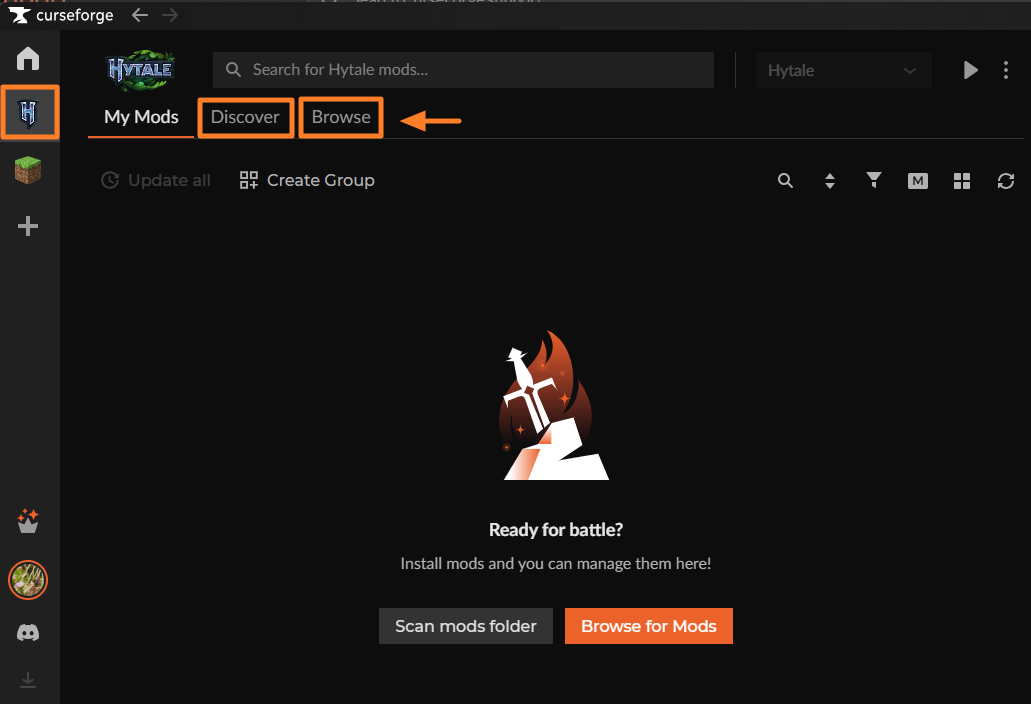
Open the Hytale page in the CurseForge app and click Discover or Browse
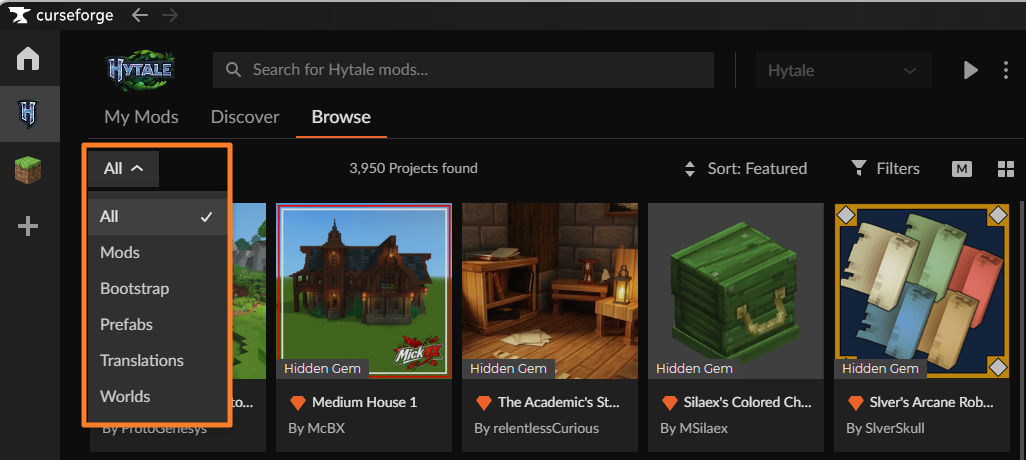
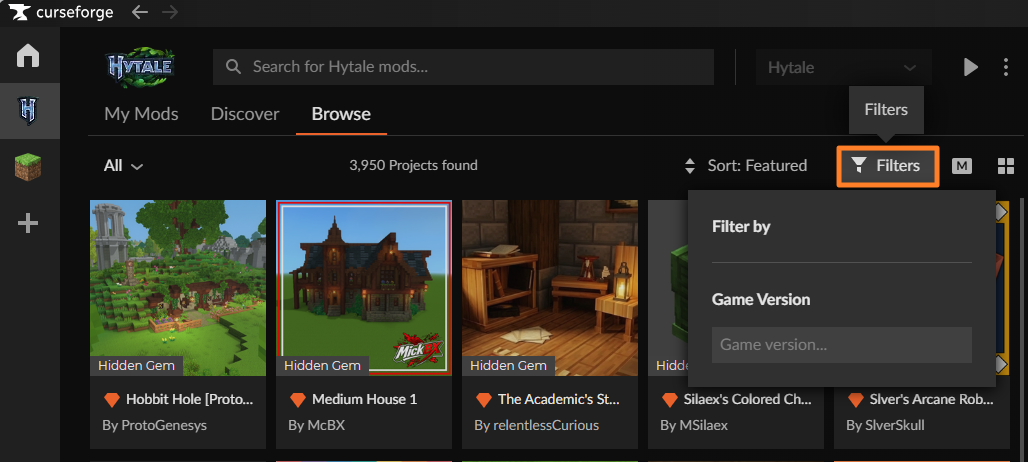
In Browse, you can filter mods by:
Mod type
Game version
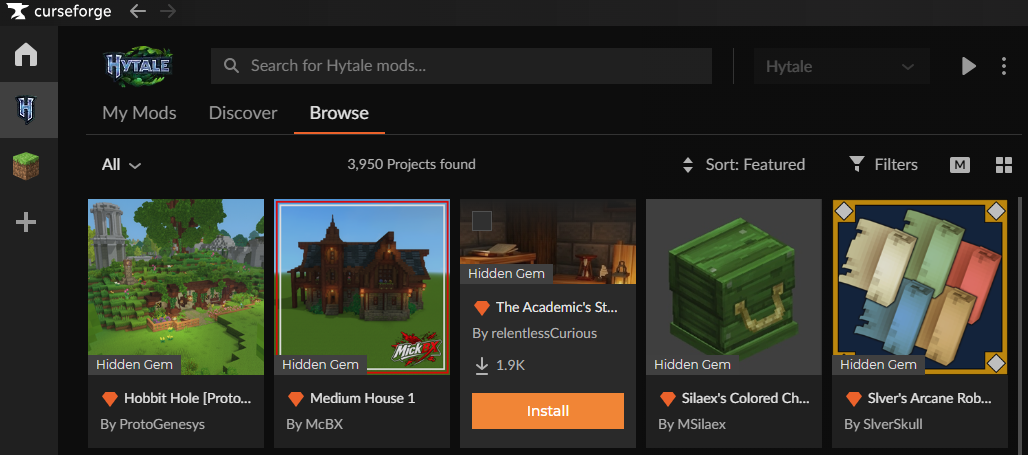
If the mod is supported by CurseForge, click Install
You can then enable the mod on a new world or add it to an existing world using the steps HereIf the mod is not supported by the app, click Download instead
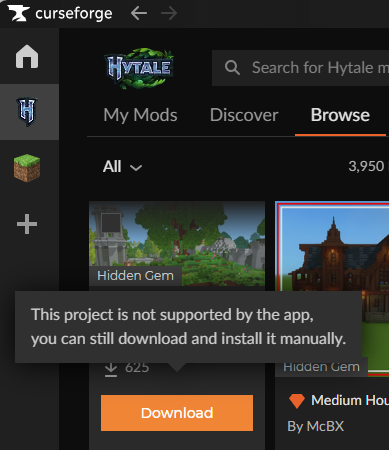
Manually place the downloaded file into the Hytale mod folder on your computer.
You can find the mod folder through the menu in the Hytale tab of the CurseForge app: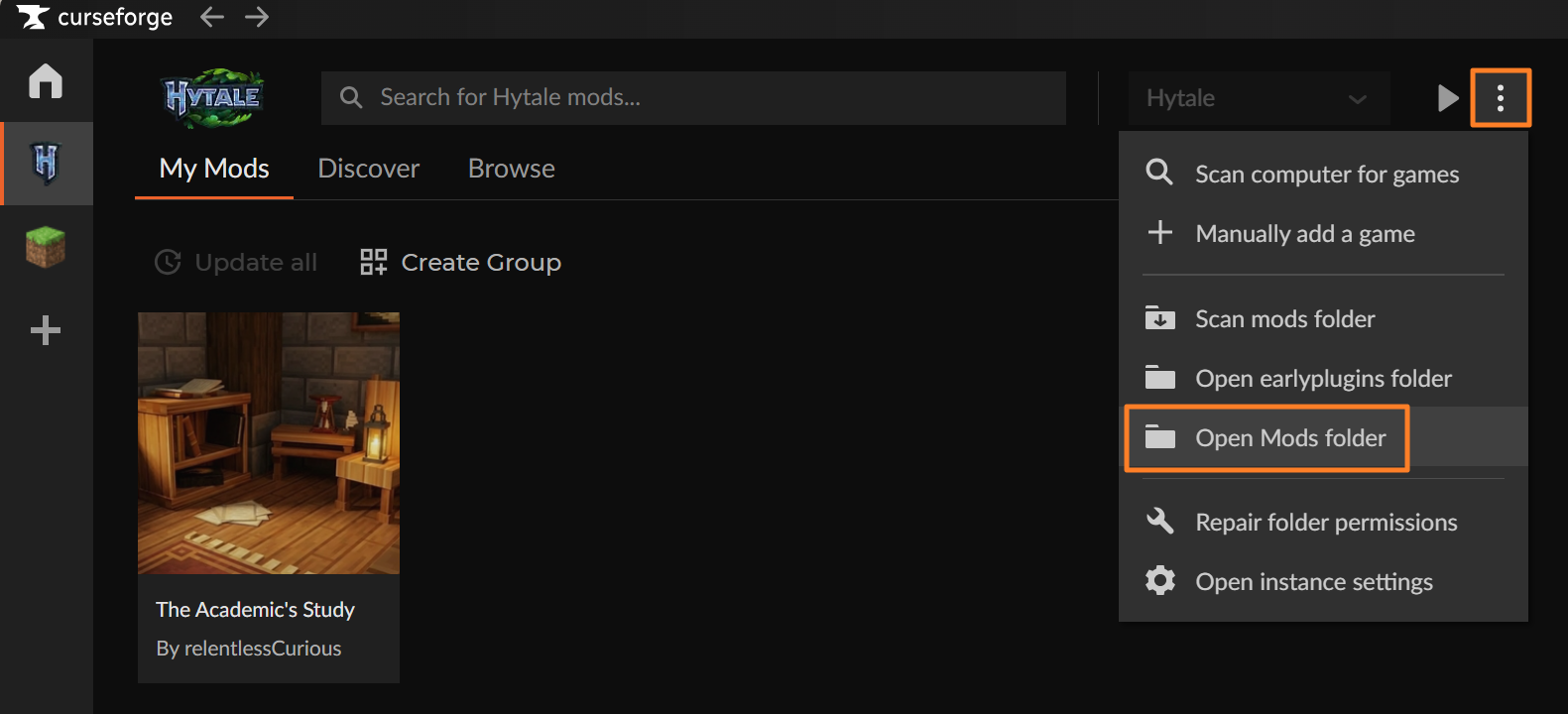
You can then enable the mod on a new world or add it to an existing world using the steps Here
How to install Hytale mods from the CurseForge website
You can also install Hytale mods manually from the CurseForge website:
Visit https://www.curseforge.com/hytale and find the mod you want to use
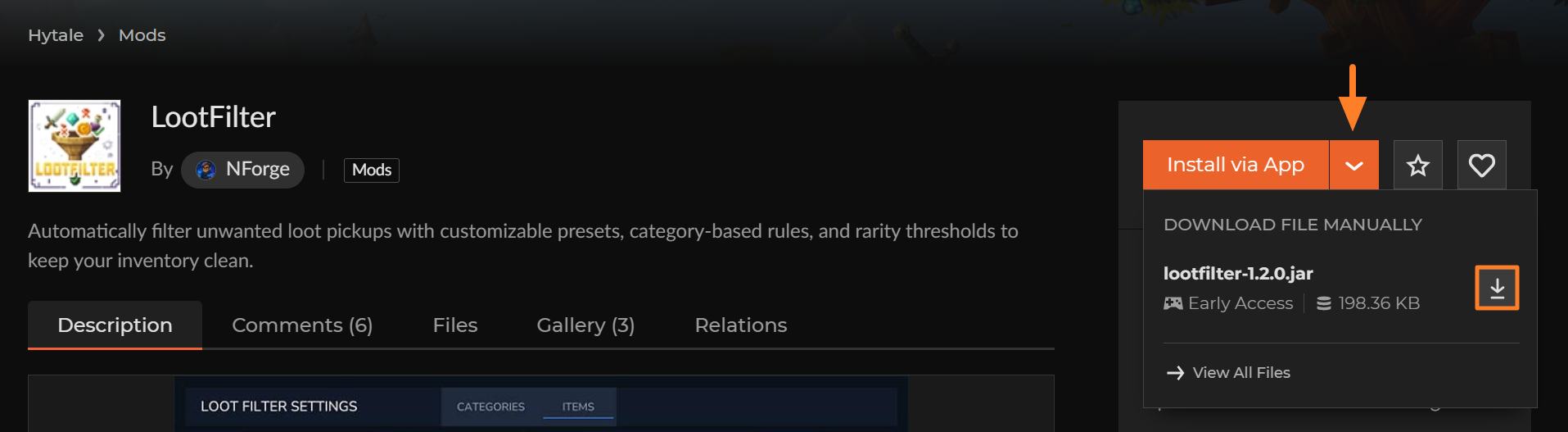
You can either click on Install via app to open the CurseForge app and start the download or click the dropdown menu next to Install via app, then select Download file manually
Alternatively, go to the Files tab, open the menu, and download the file from there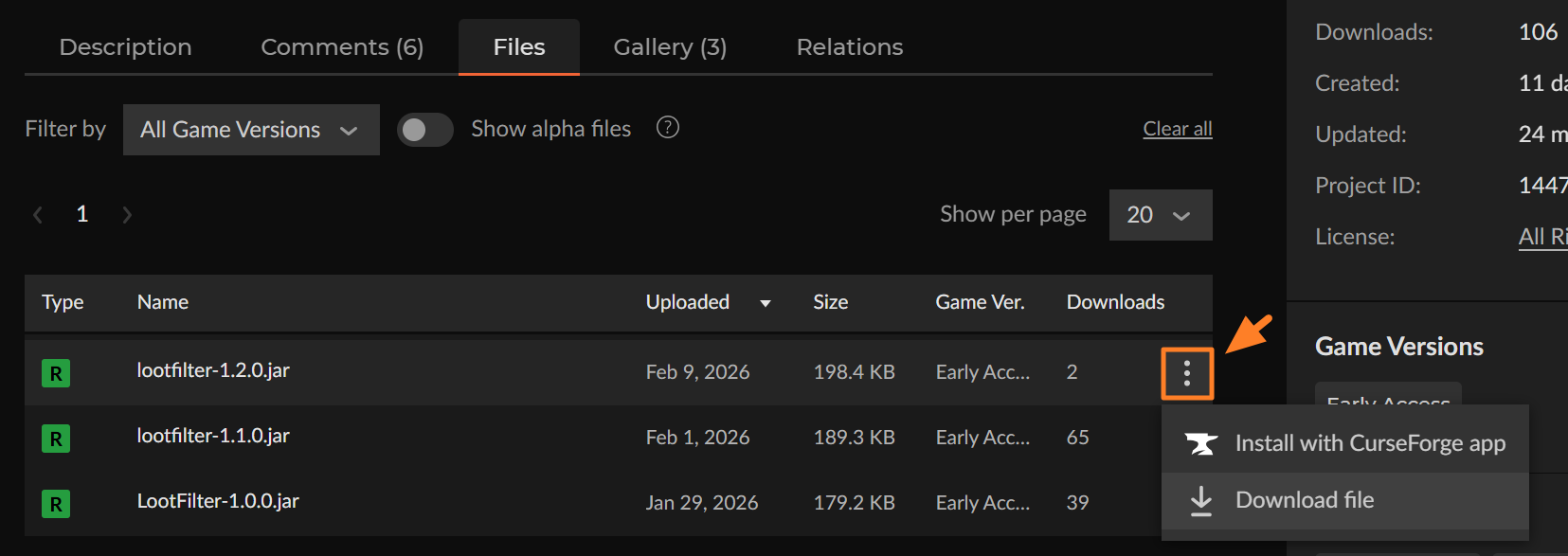
Move the downloaded file into the Hytale mod folder on your computer
You can find the mod folder through the menu in the Hytale tab of the CurseForge app:You can then enable the mod on a new world or add it to an existing world using the steps Here
How to add/remove Hytale mods to a world
You can manage mods for an existing world at any time:
Right-click the world you want to edit
Select the mods you want to enable or disable

Click Save world settings to apply the changes
How to Uninstall Hytale Mods
Uninstalling mods Installed via the CurseForge App
Open the mod’s page in the CurseForge app
Click the menu and select Delete Mod
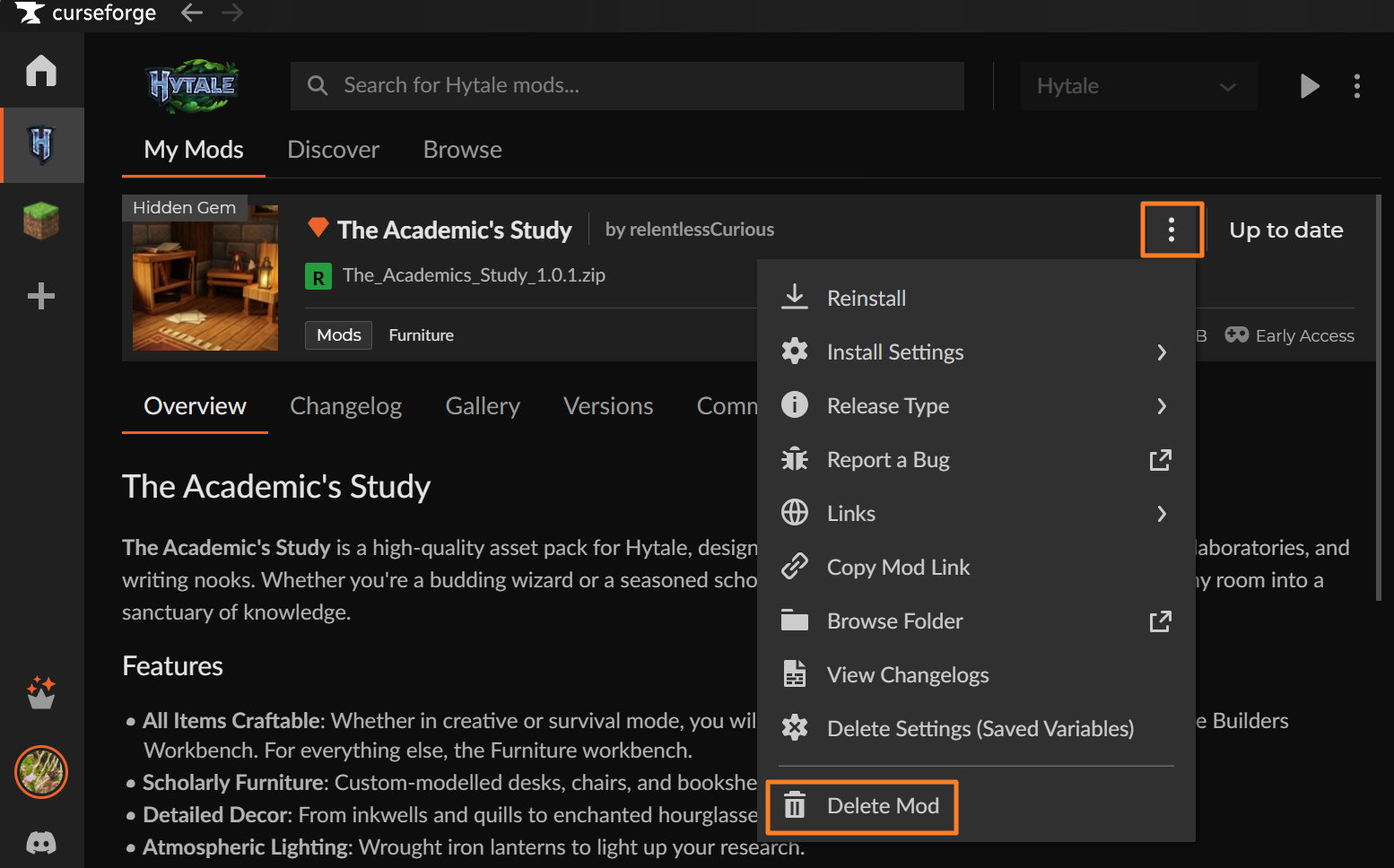
Uninstalling manually installed mods
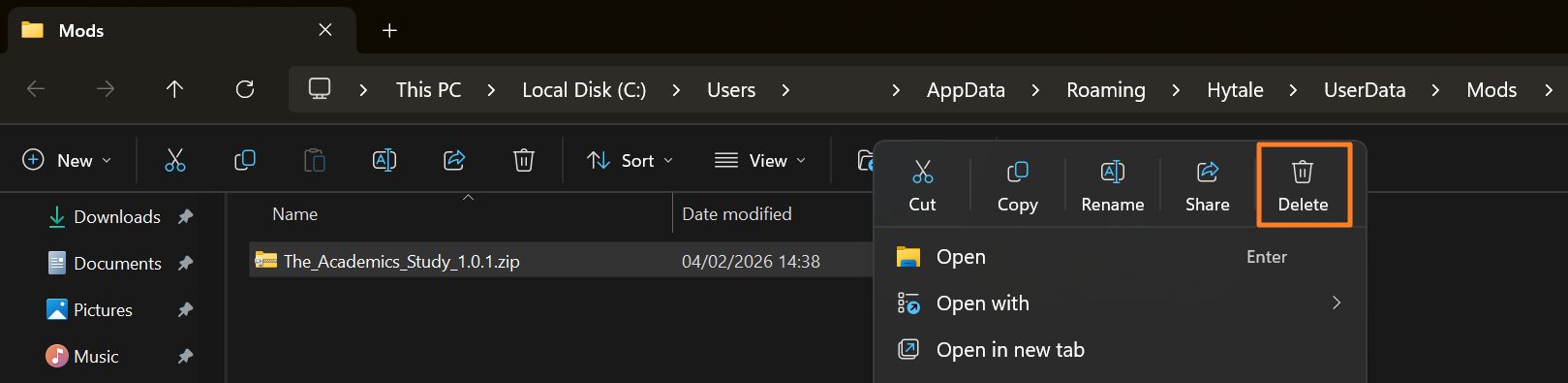
Navigate to the Hytale mod folder on your computer
You can find the mod folder through the menu in the Hytale tab of the CurseForge app:Right-click the mod file and delete it
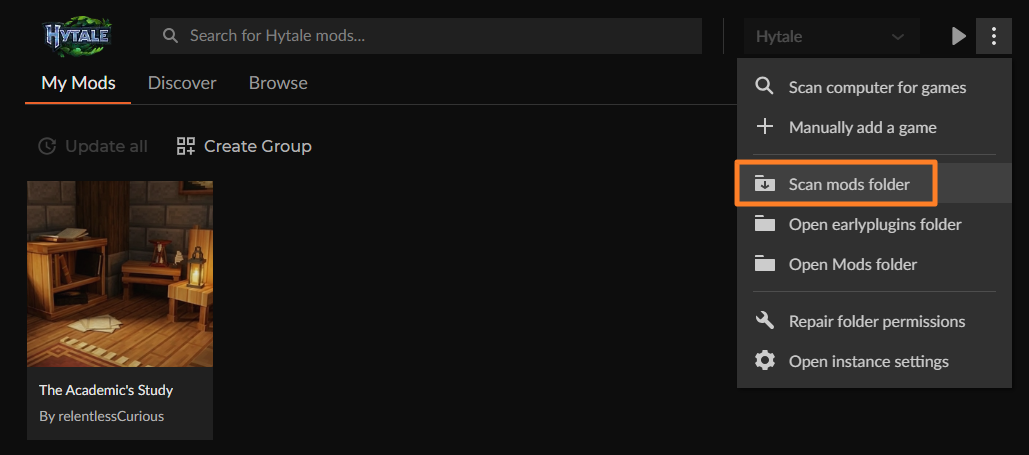
If the mod is still showing in the CurseForge app after being uninstalled please try scanning the mods folder:
Common issues
Hytale doesn't appear after scanning
- Run the scan again (Settings → + → Scan computer for games)
- Update the CurseForge app to the latest version
- Restart your computer
- If Hytale is still missing, use the "Manually add a game" option
"Game not found" error when adding manually
You likely selected a folder that doesn't contain the game executable. Use the Hytale Launcher's Open directory button to find the correct folder, then select that folder in CurseForge.
Mods are installed but don't work in-game
Confirm the mods are enabled for that specific world (right-click world → select mods → Save world settings)
Mods must be enabled in world settings regardless of whether you launch through CurseForge or the Hytale launcher
Permission errors on Windows or macOS
- In CurseForge on Windows, select Repair folder permissions from the menu
- In CurseForge on macOS, approve any file/folder access prompts that appear
Game breaks after an update
Hytale is in Early Access, so updates can break mods. Remove the most recently installed mod and test again, and check the mod's CurseForge page for compatibility notes.